Independent browser-game hub
Crossy Road online: official release first, browser alternatives second
Crossy Road is an endless arcade crossing game by Hipster Whale. This unofficial hub does not host it: visit the official Crossy Road release site first, then choose from 381 third-party browser games — hoppers, puzzles, racers, and more. Each provider controls loading, accounts, pricing, and availability.
VISIT THE OFFICIAL RELEASE SITEIndependent browser hub. This site is not affiliated with, endorsed by, sponsored by, or operated by the Crossy Road rights holders. Games are playable through browser embeds from third-party providers, so titles, availability, and branding may vary from official app-store releases.
Looking for the official game or its updates? Visit Crossy Road by Hipster Whale.
Start with the right free browser game
Official release link
Go to the official Crossy Road release site before choosing an independent browser alternative.
Progression run
Train a duck, race, earn coins, and upgrade when you want a browser game with saved progress.
Quick sports break
Play a short physics basketball match when you want a fast two-player-friendly arcade session.
Puzzle reflex mix
Use Flappy timing and 2048 number matching in one quick challenge.
Top Picks This Week


Just Added
Zombie Strike - Play Zombie Strike On A-Z Games
Zombie Rising - Play Zombie Rising On A-Z Games

Ziggy Road - Play Ziggy Road On A-Z Games
Wyrmdash - Play Wyrmdash On A-Z Games
Wing Smash - Play Wing Smash On A-Z Games

White Horizon - Play White Horizon On A-Z Games

Wave Road - Play Wave Road On A-Z Games
Wacky Nursery - Play Wacky Nursery On A-Z Games
Crossy Road online guide and browser alternatives
What is Crossing Arcade Hub?
Crossing Arcade Hub is an independent, unofficial browser arcade built around the classic Crossy Road-style hopper formula - guide a character forward one tile at a time, dodging cars and trucks, hopping across log-filled rivers, and timing your moves past oncoming trains. There is no finish line: every run is about beating your own high score before the auto-scrolling screen catches up. Beyond the headline hopper, the current collection includes 381 third-party browser games spanning arcade, puzzle, action, racing and more. Availability, loading behavior, and controls can change with each provider.
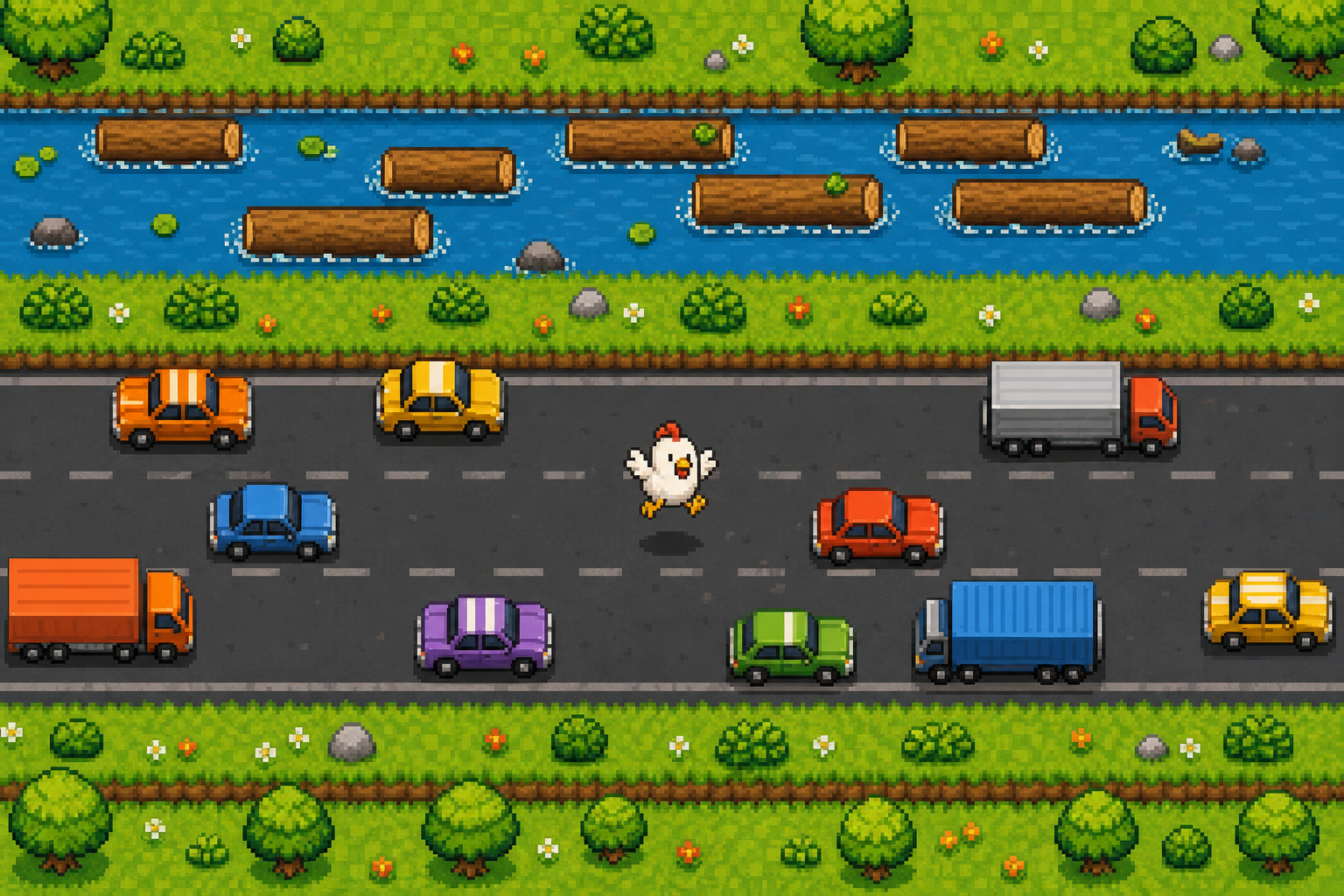
Start with the official release link, then explore the full arcade games collection. Browser providers set their own controls and availability, so check the game frame before starting. Use fullscreen when it is offered, and use the related-game suggestions to find another short session that suits your device.
How to choose what to play next
The best session on this Crossy Road online games hub depends on what kind of run you want. If you want the familiar Crossy-style arcade loop, start with a hopper that asks for short, precise movement: move one lane, wait for a safe gap, cross the river, then repeat until the screen catches up. If you want a slower break, switch into puzzle games where the challenge is planning the next few moves instead of reacting instantly. Racing and action games are better when you want speed, upgrades, and a clear finish condition.
Every featured game on the site is selected for quick browser play. That means you can test a game without creating an account, leave if the controls are not a fit, and jump to another title from the related-game row. The homepage keeps the arcade and puzzle options close together because most players rotate between quick reflex games and calmer games in the same visit.
Controls and playing tips
On desktop, use the keyboard first whenever a game supports it. Arrow keys or WASD usually give cleaner lane changes than mouse clicks, especially in traffic or river sections. On mobile, hold the phone in a way that leaves the lower screen clear so taps do not hide the next lane. For endless crossing games, the safest habit is to look two obstacles ahead instead of staring only at the character. You want to know where the next safe tile is before you move.
Score comes from patience. Do not chase coins across a bad lane unless the route back is already open. Do not stand still too long when the screen is pushing forward. Use rivers and train tracks as reset points: wait for one clean opening, cross with confidence, then slow down again on the next road. The same rhythm helps in many crossing games and in other arcade games across the collection.
How this guide separates official releases from browser alternatives
Crossy Road online searches often come from people who want to play immediately. The official game, however, is not hosted by this independent hub. Sending visitors to the developer's official release site first makes that boundary clear and gives them a reliable place for official releases and updates. The browser collection remains a separate option for a quick session on a compatible device.
The tradeoff is curation. Some browser games are too slow, too ad-heavy, or too confusing on small screens. Those are poor fits for a browser games hub. The useful games are the ones with readable movement, short retries, and controls that make sense without a manual. When a game meets that bar, it belongs in the rotation.
What to play after a Crossy Road run
After a few Crossy Road runs, move sideways into games that train the same timing skill in a different shape. Traffic games teach lane reading. Runner games teach rhythm and recovery after a mistake. Simple puzzle games slow the pace down while keeping the same habit of looking ahead. This is why an independent Crossy Road-style hub works best as a collection instead of a single game page: the next game can keep the same quick-session feeling while changing the challenge enough to stay fresh.
For a short visit, pick one featured game and try to beat your own score three times. For a longer visit, open a category, choose one arcade game and one puzzle game, then compare which one feels better on your device. That simple rotation helps you find browser games that are actually playable for you, not just titles that look familiar.
Frequently Asked Questions
Can I play Crossy Road online in a browser?
The official Crossy Road by Hipster Whale is a mobile and app release, not a game this site hosts. Start at the official Crossy Road site for the official release, then use this independent hub to pick third-party browser games for your device. Each provider decides whether a title loads in your browser, needs an account, or charges money, and can change that at any time.
Is Crossy Road unblocked available on this site?
No unblocked version is offered here. This site does not host the official Crossy Road game and cannot guarantee access from school, work, or any restricted network. Even where third-party browser games are reachable, each provider decides whether a title loads, needs an account, or charges money; availability and ads can change at any time.
What is the Crossy Road game about?
Crossy Road is an endless arcade crossing game: hop forward one lane at a time, dodge cars and trucks, cross rivers on logs, and avoid trains while the screen keeps scrolling. Runs end when you are caught or hit, and the goal is beating your own best score.
Is this an official Crossy Road website?
No. This is an independent, unofficial browser games hub. It is not affiliated with, endorsed by, sponsored by, or operated by the Crossy Road rights holders.
Are the games really free?
The catalog currently lists 381 third-party browser games. Whether a title loads, needs an account, or asks for payment is decided by each provider and can change at any time, so check the game frame before you start.